Humans scan or tap
A person scanning the printed QR or opening the link in a browser gets redirected to the live destination you set in the portal.
Branded link previews
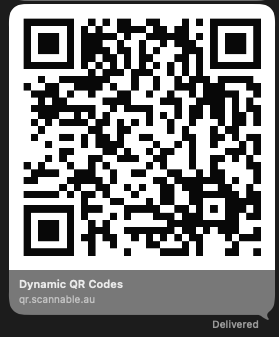
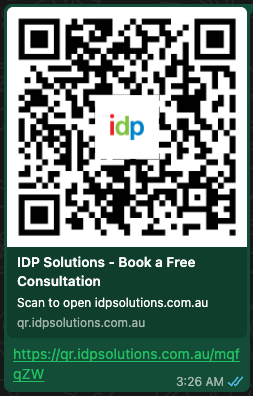
Scannable lets you set the QR code link preview, including the title, description, and Open Graph image, so scan URLs unfurl properly in Slack, iMessage, WhatsApp, and social apps.
Generic short links look suspicious in a preview card. A branded QR link preview on your own domain looks safer before anyone taps through.
QR code preview in chat
When someone shares a Scannable scan URL, chat apps fetch Open Graph metadata and render a preview card. You control the title, image, and description, so the QR code link preview matches the brand on the printed piece.
How it works
Scannable detects link-preview crawlers and returns branded HTML with your Open Graph tags. People who scan the QR code or open the link go to the destination.
A person scanning the printed QR or opening the link in a browser gets redirected to the live destination you set in the portal.
When Slack, iMessage, WhatsApp, LinkedIn, or Facebook unfurls the link, Scannable returns branded Open Graph HTML with your title, image, and description.
Link-preview bots do not count as scans. Your reports stay focused on people who scanned the printed code.
Use cases
Preview cards show up in internal approvals, client threads, and social shares, not only at scan time.
Paste a QR scan URL into a client email or chat thread. The preview shows the client logo and campaign title, not a bare redirect.
Share the live scan path in Slack before print goes to press. Stakeholders see the QR code Open Graph image and copy you set.
When someone photographs a poster and shares the scan URL, the preview card still looks like the brand, not a suspicious short link.
Related features
Branded previews work best on a recognisable scan domain. Track which printed codes drive scans without counting preview crawlers.
Designing for clients? See the designer workflow. Running a press? See how printers use Scannable.
Start now
Set the QR code Open Graph image and preview copy in the portal. People redirect; crawlers get the branded card.